
AI notes in Hinglish and Indian languages
Classes, meetings and calls, turned into notes.
Record what's said, the way people actually speak. NoteSathi gives you clear notes, the tasks that came out of it, and answers that point to the exact moment.
क्लास हो या मीटिंग, नोट्स NoteSathi बनाएगा।
Android first · In testing now · In India and abroad

One app, two ways to use it
Tell it what you're recording. It writes the notes that fit.
Classes, lectures, exam prep
College, CA, UPSC and State PSC, NEET and JEE. Record the class or import a recorded lecture.
- Notes with what the teacher stressed and every moment you marked
- A quiz in your exam's style and flashcards, made for you
- Revision timed to your exam date
- Formulas, terms and homework kept separate
Meetings, client calls, ideas
Team meetings, sales conversations, brainstorms, interviews, talks and your own voice notes.
- Decisions, open questions and who said what
- Action items with owner and due date, in one to-do list
- A follow-up email, team update or social posts, written for you
- Ask "what was decided?" and jump to that moment
How it works
Tap Record. Notes in about a minute.
Record or import
Record a class, a meeting or a talk, or import audio, video, a PDF or a photo. Pick the language you speak once.
It's saved as you go
Every 30 seconds the recording is saved on your phone, and it uploads in the background when there's internet. Lock your phone; it keeps recording.
Notes, then more
About a minute after a 10-minute recording you get a summary and key points with timestamps. Quizzes, tasks and written follow-ups come from the same notes.
Features
Built for how India actually speaks.
Never lose a recording
A two-hour lecture or a client meeting is too important to lose to a dead battery or a phone call. NoteSathi treats every recording like it can't be recorded again.
- Saved on your phone every 30 seconds, even with no internet.
- Pauses for incoming calls and carries on after them.
- If the app is closed or the phone shuts down mid-recording, everything up to that moment is recovered.
- A clear status on every recording: saved on phone, uploading, transcribing, ready.
Understands Hinglish, and more
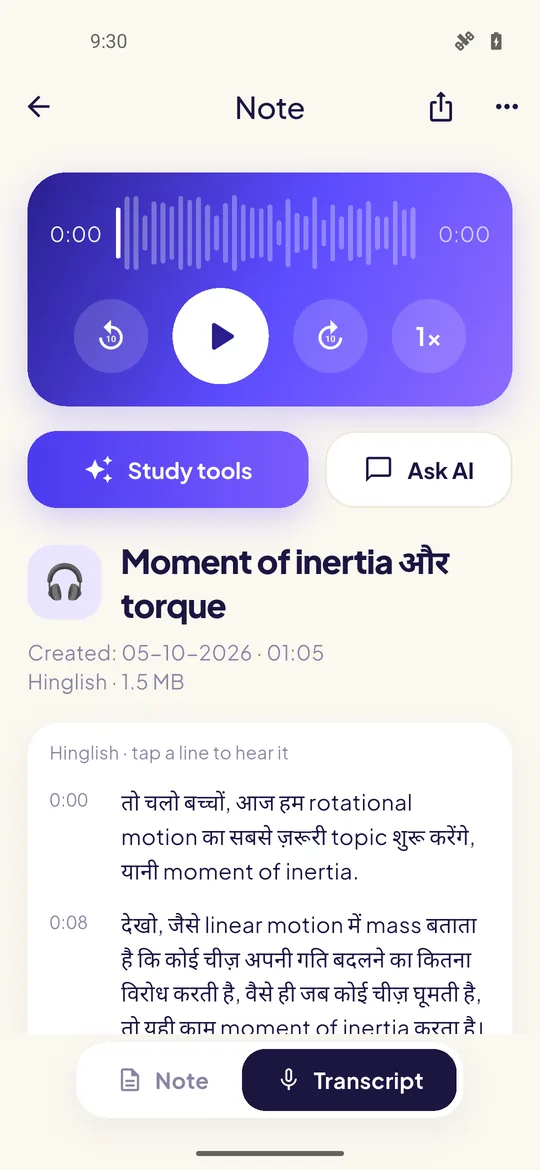
People switch between Hindi and English in the same sentence. Your transcript keeps it that way: English terms in English, Hindi in Devanagari, with a timestamp on every line. In meetings, each speaker is labelled. Tap a line to hear it.
"किसी particle का moment of inertia होता है MR square, जहाँ R उस particle की axis से लंबवत दूरी है।" From a NoteSathi transcript of a Hinglish physics lecture
Notes shaped for what it was
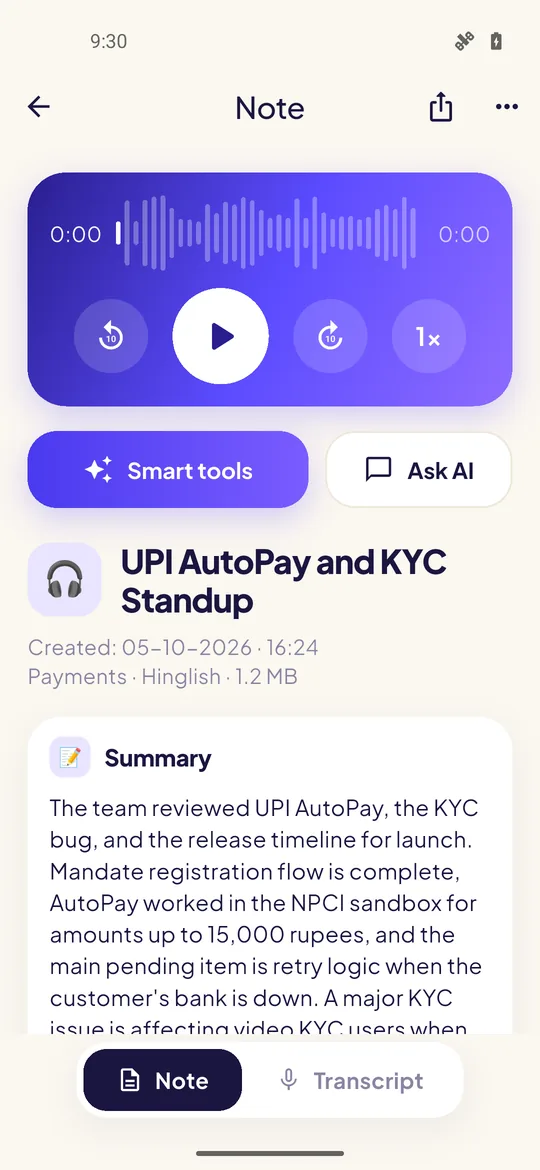
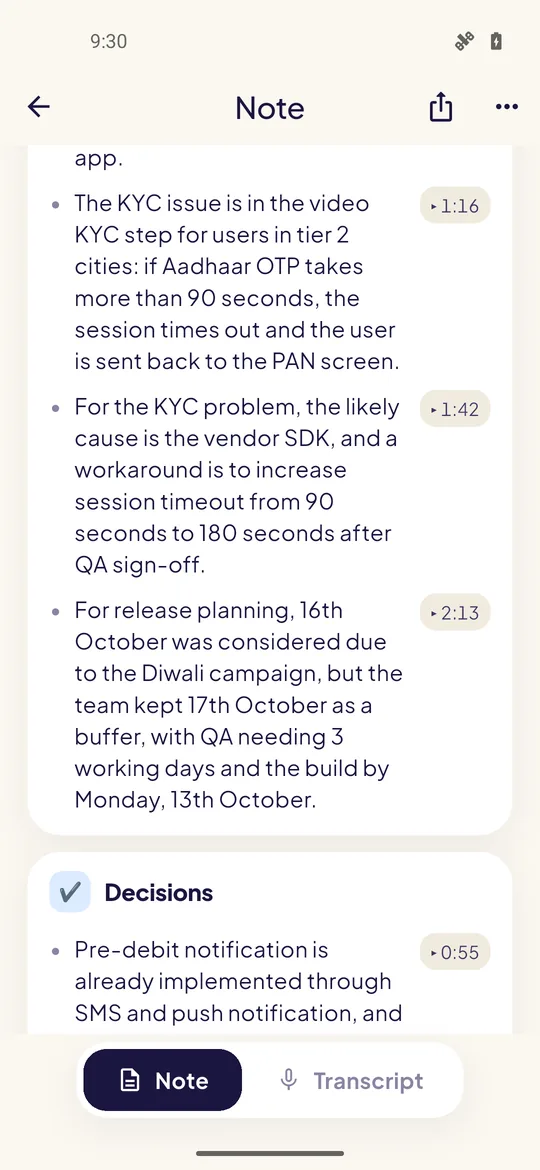
A class and a client call need different notes. Choose the type when you record or import, and each point links to the moment it was said.
- Team meeting: decisions, open questions, and tasks with owner and due date.
- Sales or client conversation: what they need, objections, deal details, next steps.
- Brainstorm: every idea, what was chosen, what's still open.
- Class: what the teacher stressed, formulas, terms and homework, tuned to your exam.
- Notes in English, Hindi, Hinglish, Marathi, Tamil or Telugu, whatever language was spoken.
From notes to marks
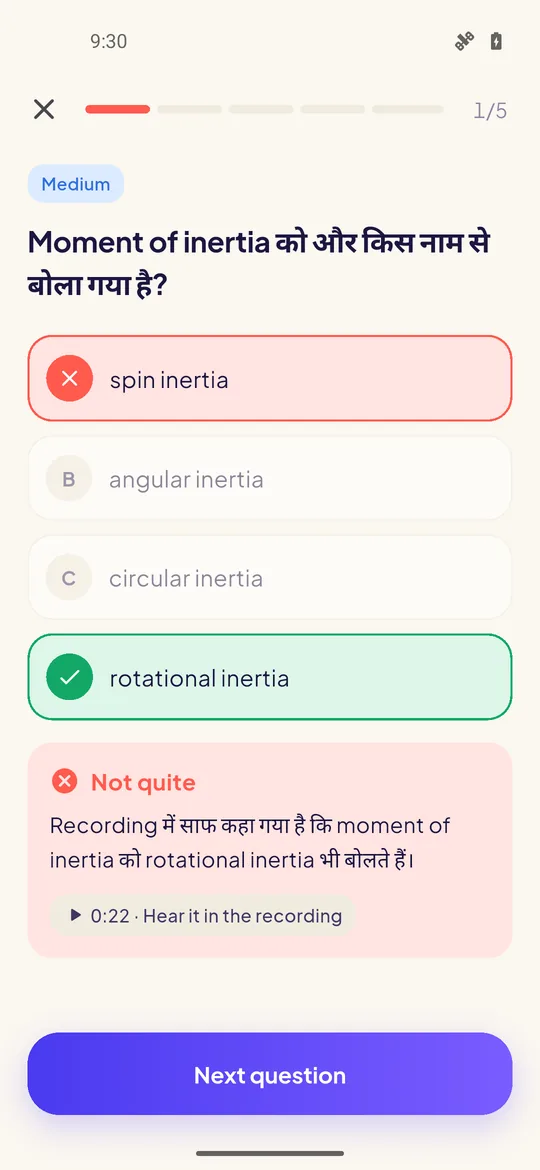
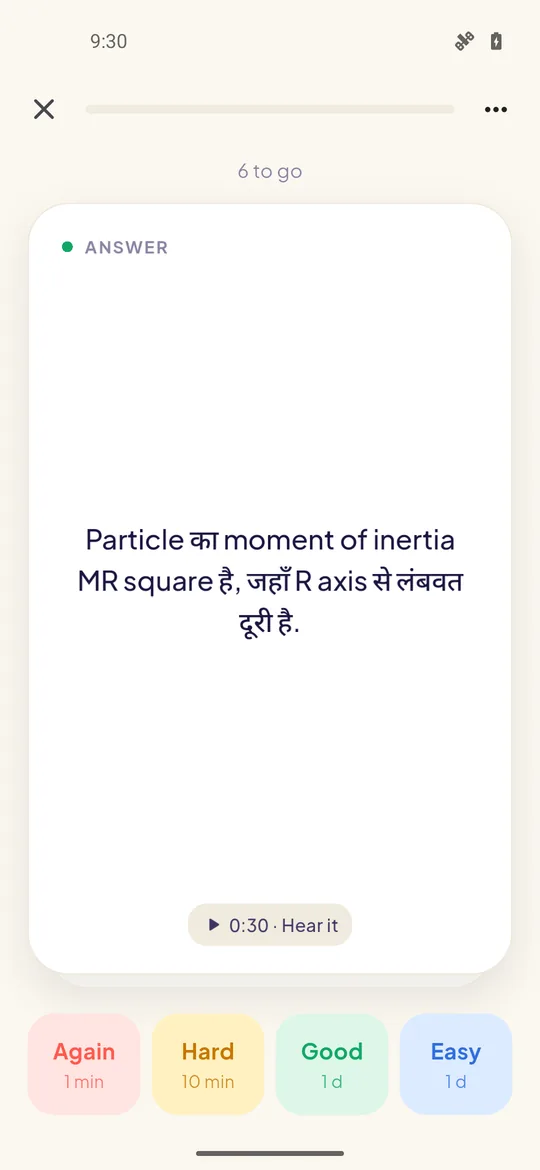
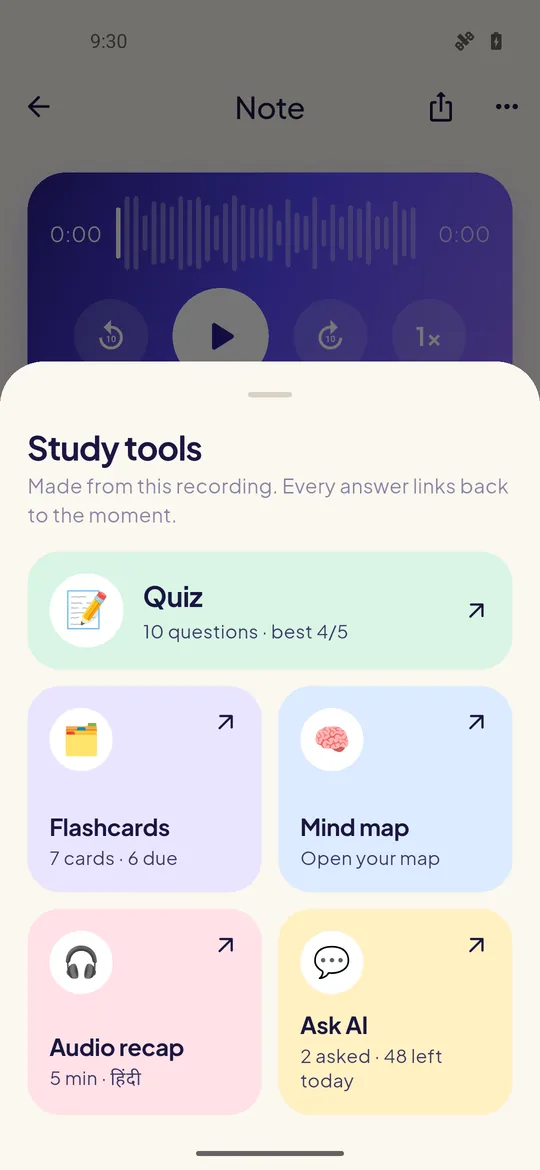
After a class, a quiz and flashcards are ready without asking. Every answer links back to the moment it was taught.
In your exam's style, with harder rounds on tap
Come back just before you'd forget
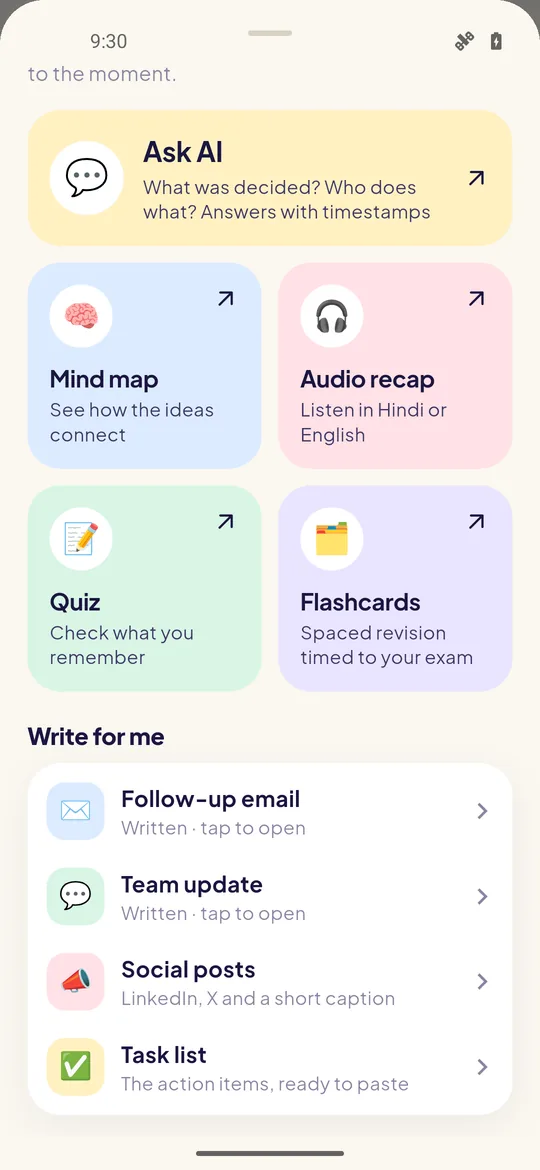
See how ideas connect, and edit it
Hindi or English, labelled AI-generated
Hints first, then the answer with timestamps
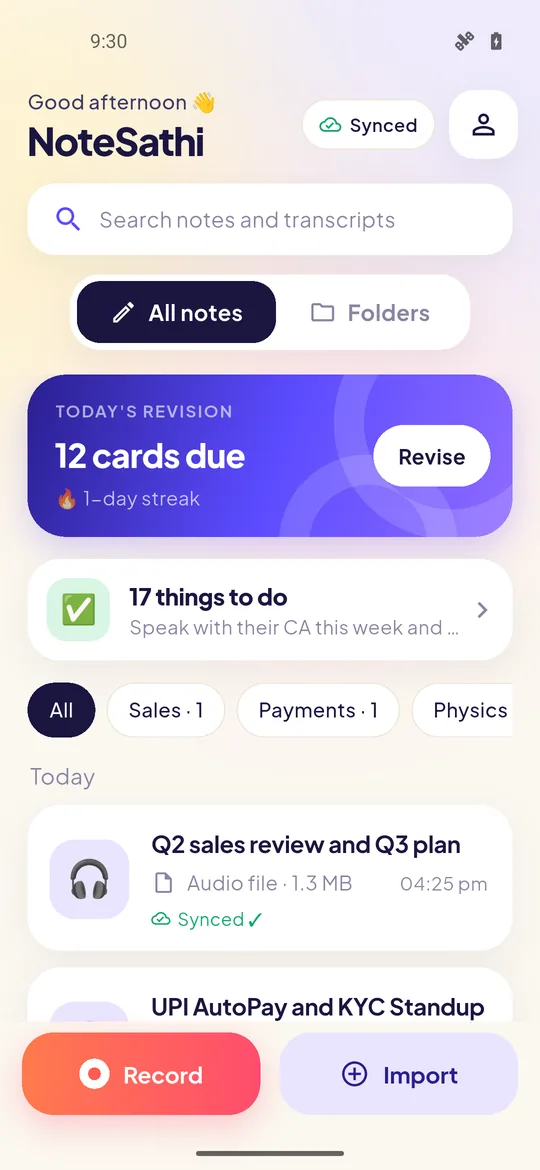
Today's cards, your streak, days to the exam
The follow-up, written for you
The meeting ends and the work starts. NoteSathi writes the first draft from what was actually said, and you send it yourself.
- Follow-up email with the recap and next steps.
- Team update for WhatsApp or Slack: decided, to do, open.
- Social posts from a talk or an idea, without your confidential numbers.
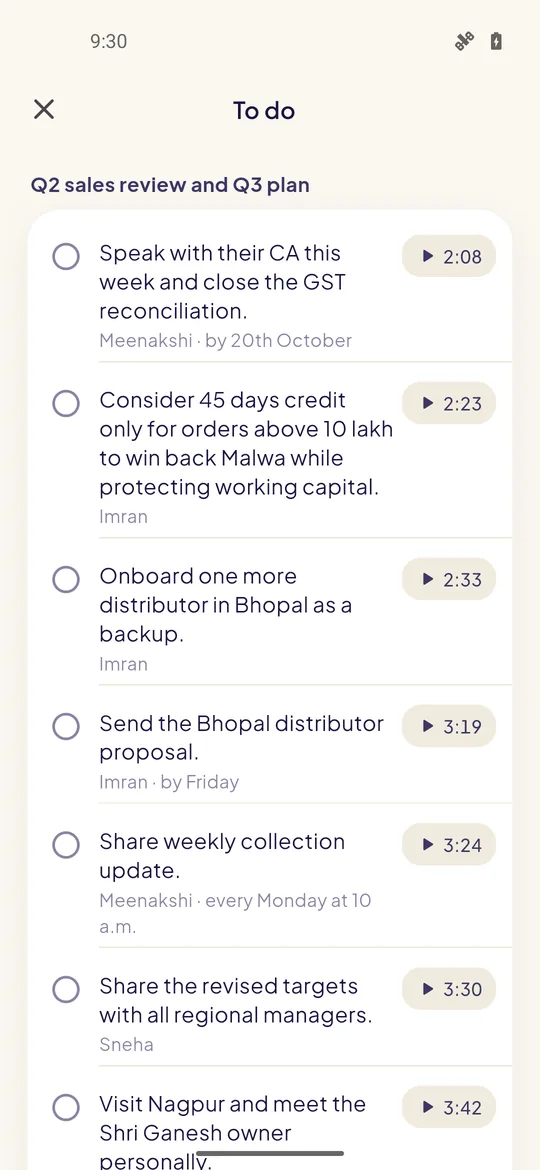
- One to-do list across all your recordings, with ticks.
"Hi everyone, thanks for the quick standup today…"A follow-up email drafted from a 3-minute product standup. Read it before you send it.
Search in any script. Share only the notes.
- Type "torque" and find "टॉर्क"; type "padhenge" and find "पढ़ेंगे". Results open at that moment.
- Share a note as a link that expires, as text for WhatsApp, or as a PDF. Never the audio or the transcript.
- Import what you already have: audio and video up to 2 GB, PDFs and photos. The same file is never processed, or charged, twice.
Coming next
What we're building now.
NoteSathi on the web
Read your notes and upload recordings from your laptop.
iPhone app
Android comes first; iPhone follows.
More exam formats
Assertion-reason and numerical questions for NEET and JEE, and an exam-readiness view.
More ways to export
Word, Markdown, Anki decks and Google Docs.
Privacy
Your recordings are yours.
Your recordings, transcripts and notes are stored on Microsoft Azure servers in India.
Not by us, and not by the AI providers who process them for you.
We make money from plans, not from your data.
Delete a recording or your whole account from the app. Raw audio is removed from our servers 90 days after your notes are ready unless you choose to keep it.
For meetings, client conversations and interviews the app asks you to confirm everyone knows, and gives you a consent message in English and Hindi.
Every note links back to the audio, so you can check anything that looks wrong. Anything the AI writes for you says so.
Read the privacy policy and how to record responsibly.
FAQ
Questions people ask
Which languages does NoteSathi understand?
Hinglish (Hindi and English mixed), Hindi, English, Marathi, Tamil and Telugu, including speech that switches between languages mid-sentence. English terms stay in English and Indian-language words stay in their own script, the way it was spoken.
Does it work without internet?
Yes. Recording needs no internet and no account. Your recording is saved on your phone every 30 seconds and uploads by itself when you are back online; your notes are made then.
What happens if a call comes in while I'm recording?
Recording pauses for the call and carries on when the call ends. Nothing recorded before the call is lost. You can turn automatic resume off in settings.
Is it only for students?
No. Tell NoteSathi whether you use it for study or for work. For work it writes meeting notes with decisions and action items, sales-conversation notes with objections and next steps, and drafts the follow-up email or team update. For study it adds quizzes, flashcards and revision. You can switch any time, and choose the type for each recording.
Does it join my Zoom, Google Meet or Teams calls?
No. NoteSathi records through your phone's microphone, so it suits in-person meetings, a call on speaker, and classes. You can also import a recording your meeting tool made, if everyone agreed to it.
Can NoteSathi record my phone calls?
No. Android does not allow apps to record phone calls. Use Call debrief straight after a call to say what was agreed, or import a call recording your phone made, if the other person agreed to it.
Is my audio used to train AI?
No. Your recordings, transcripts and notes are not used to train AI models, by us or by the AI providers that process them for you. We do not sell your data or show ads.
Where is my data stored?
On Microsoft Azure servers in India. Speech and AI processing is done by Microsoft Azure and Sarvam AI, and some of it runs briefly outside India (at present in the European Union) without being kept there; the privacy policy lists every provider and what each one sees.
Am I allowed to record my class or meeting?
Ask first. Most teachers and institutes allow recording for personal study, some don't. For meetings, client conversations and interviews, tell everyone before you start; the app asks you to confirm this and gives you a consent message to share.
How much does it cost?
Recording is always free. Every account gets 2 hours of processing to start, then 30 minutes a month. Paid plans start at ₹199 a month, with an Exam Pass of ₹699 for 4 months.
Who can use NoteSathi?
Anyone aged 18 and over: students, working professionals and teams, in India or abroad. NoteSathi is Android first, with iPhone to follow. It is in testing now; ask for early access and we will email you when it is on Google Play.
Be among the first to try NoteSathi
NoteSathi is in testing now. Ask for early access and we'll email you when it's on Google Play.